Building Progressive Web Apps (PWA) in 2026
Learn how to architect high-performance Progressive Web Apps (PWAs). Service Worker lifecycle, offline IndexedDB sync, Web Push on iOS, and app store deployment.
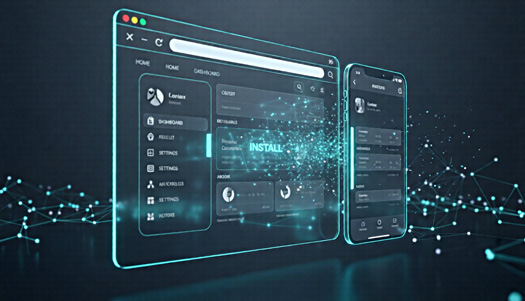
Learn how to architect high-performance Progressive Web Apps (PWAs). Service Worker lifecycle, offline IndexedDB sync, Web Push on iOS, and app store deployment.
The Power of Progressive Web Apps
PWAs combine the best of web and native apps, offering offline functionality, push notifications, and installability—all through a web browser.
What Makes a PWA?
A Progressive Web App must meet these criteria:
Core Requirements:
- HTTPS - Secure connection required
- Service Worker - Enables offline functionality
- Web App Manifest - Defines app metadata
- Responsive Design - Works on all devices
Enhanced Features:
- Installable - Add to home screen
- App-like - Full-screen mode
- Discoverable - Found via search engines
- Re-engageable - Push notifications
- Linkable - Shareable via URL
Benefits of PWAs
For Users:
- Fast loading, even on slow networks
- Works offline
- Less storage than native apps
- No app store required
- Always up-to-date
For Businesses:
- Single codebase for all platforms
- Lower development costs
- Easier to maintain
- Better SEO
- No app store fees
Setting Up a PWA
1. Start with a Manifest File
Create manifest.json:
{
  "name": "My Awesome PWA",
  "short_name": "MyPWA",
  "description": "An awesome progressive web app",
  "start_url": "/",
  "display": "standalone",
  "background_color": "#ffffff",
  "theme_color": "#0066cc",
  "orientation": "portrait-primary",
  "icons": [
    {
      "src": "/icons/icon-72x72.png",
      "sizes": "72x72",
      "type": "image/png"
    },
    {
      "src": "/icons/icon-192x192.png",
      "sizes": "192x192",
      "type": "image/png",
      "purpose": "any maskable"
    },
    {
      "src": "/icons/icon-512x512.png",
      "sizes": "512x512",
      "type": "image/png"
    }
  ]
}
2. Link Manifest in HTML
<link rel="manifest" href="/manifest.json" />
<meta name="theme-color" content="#0066cc" />
Implementing Service Workers
Service workers are the heart of PWAs.
Basic Service Worker:
// sw.js
const CACHE_NAME = "my-pwa-v1";
const urlsToCache = [
  "/",
  "/styles/main.css",
  "/scripts/main.js",
  "/images/logo.png",
];

// Install event
self.addEventListener("install", (event) => {
  event.waitUntil(
    caches.open(CACHE_NAME).then((cache) => cache.addAll(urlsToCache)),
  );
});

// Fetch event
self.addEventListener("fetch", (event) => {
  event.respondWith(
    caches
      .match(event.request)
      .then((response) => response || fetch(event.request)),
  );
});

// Activate event
self.addEventListener("activate", (event) => {
  event.waitUntil(
    caches.keys().then((cacheNames) => {
      return Promise.all(
        cacheNames.map((cacheName) => {
          if (cacheName !== CACHE_NAME) {
            return caches.delete(cacheName);
          }
        }),
      );
    }),
  );
});
Register Service Worker:
// main.js
if ("serviceWorker" in navigator) {
  navigator.serviceWorker
    .register("/sw.js")
    .then((reg) => console.log("SW registered", reg))
    .catch((err) => console.error("SW registration failed", err));
}
Caching Strategies
Choose the right strategy for each resource:
1. Cache First (Cache Falling Back to Network)
self.addEventListener("fetch", (event) => {
  event.respondWith(
    caches
      .match(event.request)
      .then((response) => response || fetch(event.request)),
  );
});
Best for: Static assets (CSS, JS, images)
2. Network First (Network Falling Back to Cache)
self.addEventListener("fetch", (event) => {
  event.respondWith(
    fetch(event.request).catch(() => caches.match(event.request)),
  );
});
Best for: Dynamic content, API calls
3. Stale While Revalidate
self.addEventListener("fetch", (event) => {
  event.respondWith(
    caches.open(CACHE_NAME).then((cache) => {
      return cache.match(event.request).then((response) => {
        const fetchPromise = fetch(event.request).then((networkResponse) => {
          cache.put(event.request, networkResponse.clone());
          return networkResponse;
        });
        return response || fetchPromise;
      });
    }),
  );
});
Best for: Frequently updated content
4. Network Only
self.addEventListener("fetch", (event) => {
  event.respondWith(fetch(event.request));
});
Best for: Always-fresh data (analytics, logs)
5. Cache Only
self.addEventListener("fetch", (event) => {
  event.respondWith(caches.match(event.request));
});
Best for: App shell
Push Notifications
Re-engage users with timely notifications.
1. Request Permission:
Notification.requestPermission().then((permission) => {
  if (permission === "granted") {
    console.log("Notification permission granted");
  }
});
2. Subscribe to Push:
navigator.serviceWorker.ready.then((registration) => {
  registration.pushManager
    .subscribe({
      userVisibleOnly: true,
      applicationServerKey: urlBase64ToUint8Array(publicKey),
    })
    .then((subscription) => {
      // Send subscription to server
      fetch("/subscribe", {
        method: "POST",
        body: JSON.stringify(subscription),
        headers: {
          "Content-Type": "application/json",
        },
      });
    });
});
3. Handle Push Events:
// sw.js
self.addEventListener("push", (event) => {
  const data = event.data.json();

  event.waitUntil(
    self.registration.showNotification(data.title, {
      body: data.body,
      icon: "/icons/icon-192x192.png",
      badge: "/icons/badge-72x72.png",
      data: {
        url: data.url,
      },
    }),
  );
});

self.addEventListener("notificationclick", (event) => {
  event.notification.close();
  event.waitUntil(clients.openWindow(event.notification.data.url));
});
App Shell Architecture
Separate UI shell from content.
Benefits:
- Instant loading of UI
- Content loads separately
- Better perceived performance
- Works offline
Implementation:
const SHELL_CACHE = "app-shell-v1";
const CONTENT_CACHE = "content-v1";

const shellAssets = ["/", "/styles/app.css", "/scripts/app.js", "/shell.html"];

self.addEventListener("install", (event) => {
  event.waitUntil(
    caches.open(SHELL_CACHE).then((cache) => cache.addAll(shellAssets)),
  );
});
Making Your PWA Installable
Install Prompt:
let deferredPrompt;

window.addEventListener("beforeinstallprompt", (event) => {
  // Prevent automatic prompt
  event.preventDefault();
  deferredPrompt = event;

  // Show custom install button
  showInstallButton();
});

function installApp() {
  if (deferredPrompt) {
    deferredPrompt.prompt();
    deferredPrompt.userChoice.then((choice) => {
      if (choice.outcome === "accepted") {
        console.log("User installed the app");
      }
      deferredPrompt = null;
    });
  }
}
Offline Functionality
Provide a good offline experience.
Offline Page:
// sw.js
const OFFLINE_URL = "/offline.html";

self.addEventListener("install", (event) => {
  event.waitUntil(
    caches.open(CACHE_NAME).then((cache) => cache.add(OFFLINE_URL)),
  );
});

self.addEventListener("fetch", (event) => {
  if (event.request.mode === "navigate") {
    event.respondWith(
      fetch(event.request).catch(() => caches.match(OFFLINE_URL)),
    );
  }
});
Background Sync
Sync data when connection is restored.
// Register sync
navigator.serviceWorker.ready.then((registration) => {
  registration.sync.register("sync-posts");
});

// Handle sync event
self.addEventListener("sync", (event) => {
  if (event.tag === "sync-posts") {
    event.waitUntil(syncPosts());
  }
});

async function syncPosts() {
  const posts = await getPostsFromIndexedDB();
  return Promise.all(
    posts.map((post) =>
      fetch("/api/posts", {
        method: "POST",
        body: JSON.stringify(post),
      }),
    ),
  );
}
Testing Your PWA
Lighthouse Audit:
- Open Chrome DevTools
- Go to Lighthouse tab
- Run PWA audit
- Fix any issues
Key Metrics:
- Performance score > 90
- Accessibility score > 90
- Best Practices score > 90
- SEO score > 90
- PWA score = 100
Test Checklist:
- ✓ Installable
- ✓ Works offline
- ✓ Fast on 3G
- ✓ HTTPS enabled
- ✓ Responsive design
- ✓ Cross-browser tested
Popular PWA Examples
Twitter Lite:
- 70% increase in tweets sent
- 65% increase in pages per session
- 20% decrease in bounce rate
Pinterest:
- 60% increase in core engagements
- 44% increase in user-generated ad revenue
- 40% increase in time spent
Starbucks:
- 2x daily active users
- Order completion nearly matches mobile app
Tools and Libraries
Workbox: Google’s PWA toolkit for easier service worker implementation.
import { precacheAndRoute } from "workbox-precaching";
import { registerRoute } from "workbox-routing";
import { StaleWhileRevalidate } from "workbox-strategies";

// Precache static assets
precacheAndRoute(self.__WB_MANIFEST);

// Cache API responses
registerRoute(/\/api\//, new StaleWhileRevalidate());
Other Tools:
- PWA Builder - Generate PWA assets
- Lighthouse - Audit and testing
- Workbox - Service worker library
- PWACompat - iOS compatibility
Conclusion
PWAs offer a compelling alternative to native apps with lower costs and broader reach. Start simple with offline support and installability, then add advanced features like push notifications and background sync. Test thoroughly, measure impact, and iterate based on user feedback. The web is getting more powerful, and PWAs are leading the way.
Key Technical Questions Answered
Are Progressive Web Apps fully supported on Apple iOS devices? ↓
Yes. Modern iOS versions support Web Push notifications, home screen installation without App Store mediation, and Service Worker background caching, making PWAs a viable native app replacement for enterprise portals.
Which Service Worker caching strategy is ideal for e-commerce or dynamic apps? ↓
A 'Stale-While-Revalidate' strategy works best for dynamic assets and product cards (serving cached data instantly while fetching live updates in the background), paired with a 'Cache-First' strategy for immutable fonts, icons, and compiled CSS bundles.
Can a PWA be published to the Google Play Store and Microsoft Store? ↓
Yes. Using Trusted Web Activities (TWA) and Microsoft PWABuilder, developers can wrap their production PWA into an APK/AAB or MSIX package and distribute it through official app stores while maintaining a single shared web codebase.
Published by Ahmed Raza
Technical publication curated by the FAAZ TECH engineering team. Focused on high-performance web systems, autonomous agents, and enterprise software scalability.
Related Engineering Insights

Build Future-Proof Web Architecture with FAAZ TECH
Whether migrating to edge serverless, deploying autonomous AI workflows, or optimizing for GEO search engines, our engineers deliver sub-second performance.
Schedule a Technical Consultation →